
| Page | Description |
|---|---|
| Home Page | The first screen in the game |
| Setup | Setup options for the game |
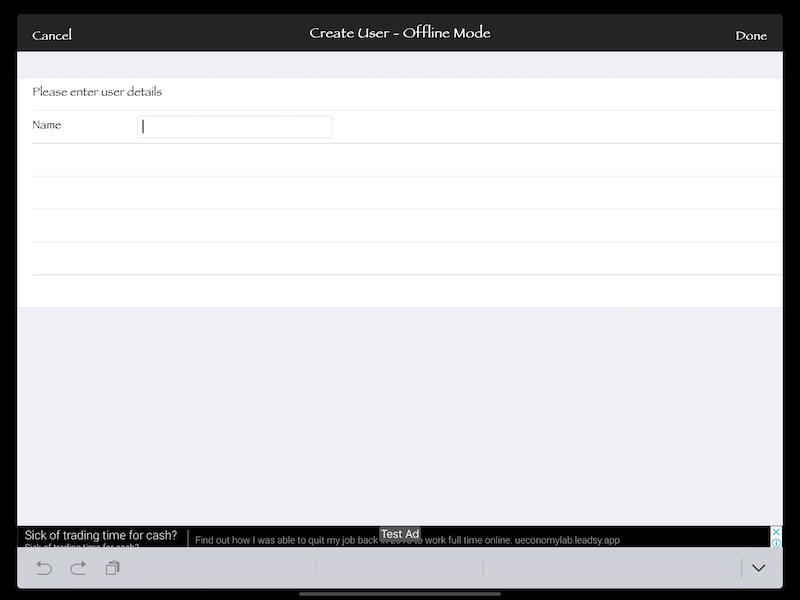
| Create User | Create a new user |
| Game Selection | Game selection screen |
| Start Game | How to setup a new game |
| Join Existing Game | How to join an existing game |
| Play Game | How to play game |
| Game Rules | Configurable game rules |
| Game Summary | Game Summary |
| Leaderboard | Leaderboard on this device only |
| Button | Description |
|---|---|
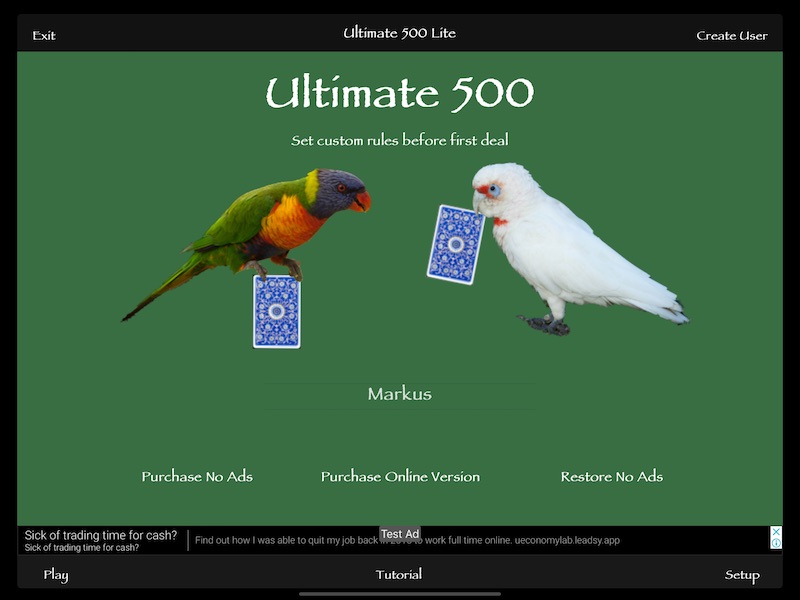
| Exit | Leave Game |
| Create User | Allows you to create an additional user to use on this device |
| User Selection | Scroll between different users to select the user that is currently playing |
| Purchase No Ads | Remove ads from the game through |
| Purchase Online Version (Click for features) | Purchase full version that allows online play and Game Center integration |
| Restore No Ads | Restore a previous remove Ads purchase |
| Play | Play selection screen |
| Tutorial | This tutorial screen |
| Setup | Go to the setup screen |
| Option | Description |
|---|---|
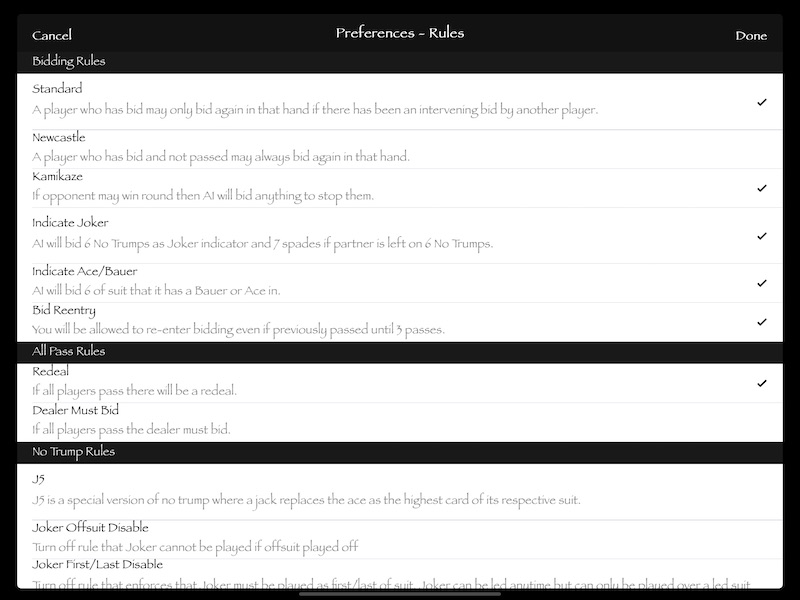
| Standard Bidding | Each player bids until the three other players have passed |
| Newcastle Bidding | Each player gets another chance to bid if they have not passed after all three other players have passed |
| Indicate Joker | The AI will bid 6 No Trumps to indicate that it has the joker if it also feels that it can take 7 tricks to give its partner the opportunity to use the joker in its partner's bid assessment. If the AI passes after its partner makes a 7 Spades bid then that is because the AI wanted 7 Spades and is happy with the call. The AI will never leave its partner on 6 No Trumps by bidding 7 Spades in the event that it cannot use the joker |
| Indicate Ace/Bauer | The AI will bid 6 of any suit that it has an Ace or Bauer (Jack) in. The AI will try and indicate in the suit that it has the longest run in if any two suits have the same number of Aces/Bauers. If there are multiple suits with the same number of Aces/Bauers and a similar card run then it will indicate in suit order ie Hearts > Diamonds > Clubs > Spades. If the partner leaves the AI with a 6 bid then it should be expected that they may not have a strong enough hand to win 6 as this bid was only an indication. Obviously the risk is that the bid really was a 6 bid and not an indication - which is why some people do not like using this option |
| Bid Reentry | Each player can bid again even if they have previously passed and another player bids |
| Redeal | If all players pass then the game is redealt |
| Dealer Must Bid | If all players pass then the dealer is forced to bid something |
| J5 | For No Trumps games this option will make the Jack the highest card in each suit rather than the Ace |
| Joker Offsuit Disable | For No Trumps games set this option if you want to turn off the rule that you cannot use the joker on a suit that you have thrown off on. Throwing off is when you have run out of a particular suit and use a card from another suit |
| Joker First/Last Disable | For No Trumps games set this option if you want to turn off the rule that you must play the Joker as the first or last card in a suit |
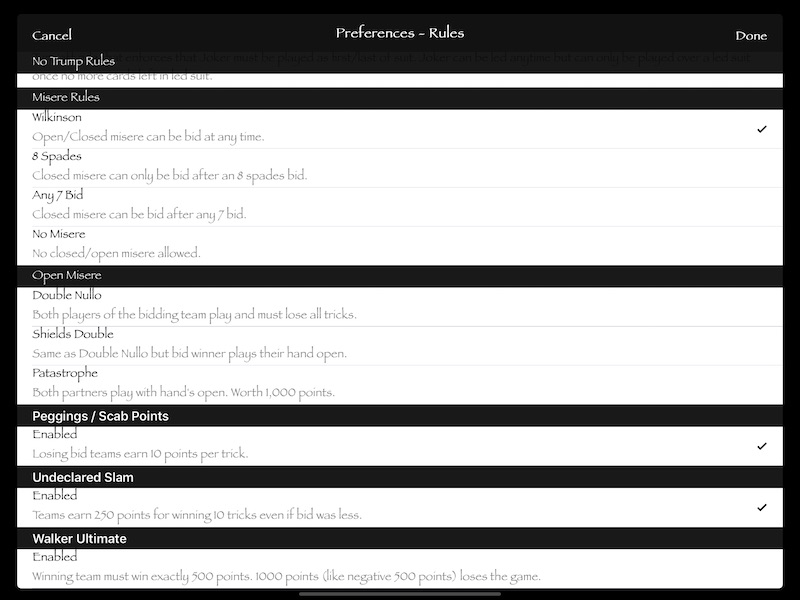
| Wilkinson | This allows you to bid Closed or Open Misere at any time |
| 8 Spades | This only allows you to bid Closed Misere after there has been at least an 8 Spades bid |
| Any 7 Bid | This only allows you to bid Closed Misere after there has been any 7 bid |
| No Misere | This turns off the ability to bid any form of misere |
| Double Nullo | This is a special form of Misere where the partner plays as well and you both have to lose all tricks. Boths hands are closed |
| Shields Double | This is a special form of Open Misere where the partner plays as well and you both have to lose all tricks. The bid winner plays the hand open |
| Patastrophe | This is a special form of Open Misere where the partner plays as well and you both have to lose all tricks. Both hands are played open and the game is worth 1,000 points |
| Peggings/Scab Points | This allows the losing bid team to earn 10 points for every trick that they win |
| Undeclared Slam | If a team wins all 10 tricks but did not bid 10 and the points they would have won for their winning bid were under 250 then they will earn 250 points |
| Walker Ultimate | A different scoring system where the winning team must win exactly 500 points. 1,000 points will lose the game |
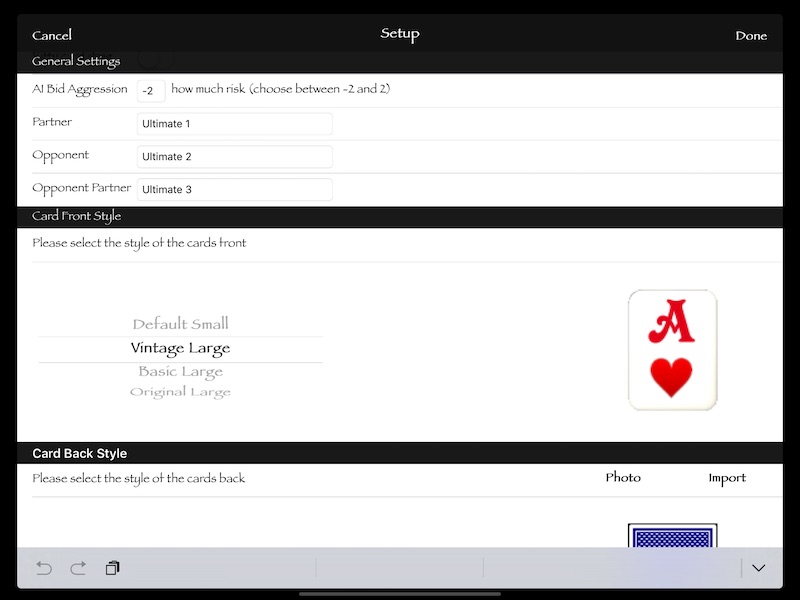
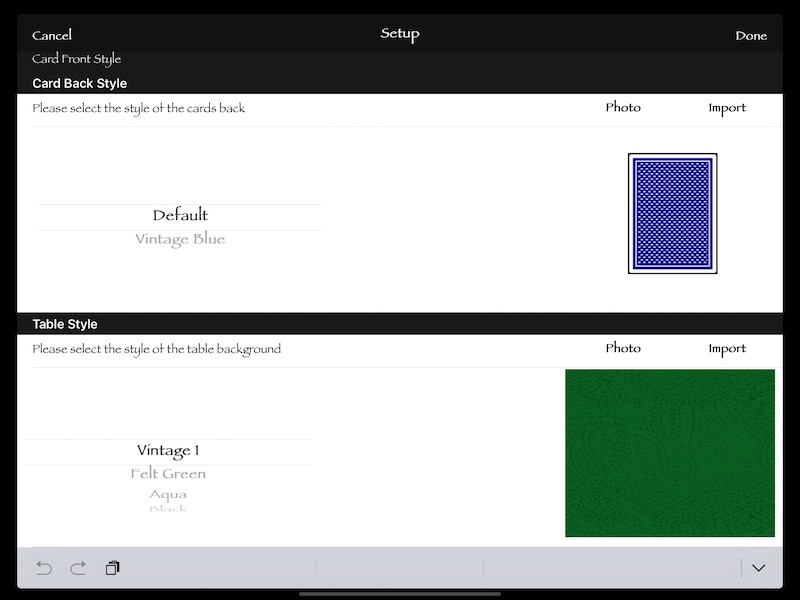
| Option | Description |
|---|---|
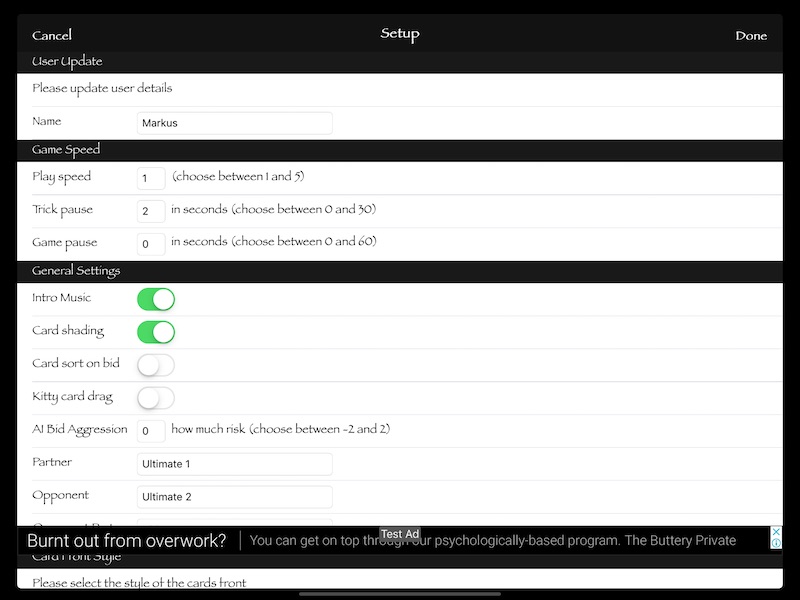
| Name | Your name |
| Play Speed | The speed at which the game is played. 1 is the fastest and 5 is the slowest. This affects all card animations |
| Trick Pause | Number of seconds of pause between tricks when AI is next lead. Setting this to a higher setting will allow you to more carefully assess the current hand before the next card is played. Setting it to 0 will mean that you will be prompted before next card is played |
| Game Pause | Number of seconds before next game is started after all tricks have been played. Setting this to 0 will wait until user has prompted to continue |
| Intro Music | Turns on/off the intro music |
| Card Shading | Will allow your cards to appear more transparent when it is not your turn |
| Card Sort On Bid | This will sort the cards in the order of the bid trumps during the bidding round |
| Kitty Card Drag | This mode allows you to drag the cards out of the kitty and into your hand. The system will swap the cards. You will need to leave discarded cards in the kitty. If this mode is turned off then you just need to choose which cards you would like to discard and they will turn white |
| AI Bid Aggression | This allows you to adjust the aggression that the AI uses when bidding. With the aggression at 0 the AI will: -
If you set the aggression to -2 then the AI will no longer consider its partner or kitty in baseline bidding and will only bid 6 if it feels it can win 5 or 6 on its own. If the kamikaze option is set in rules then these rules do not apply if the opposing team could win and your bid will not send you out the back door (-500) |
| Card Front Style | Select from a set of different card frontages. More will be added in the future |
| Card Back Style | Select from a set of different card backs. You can import from your own album or use your device's camera to capture a unique card back |
| Table Style | You can import from your own album or use your device's camera to capture a unique table style |
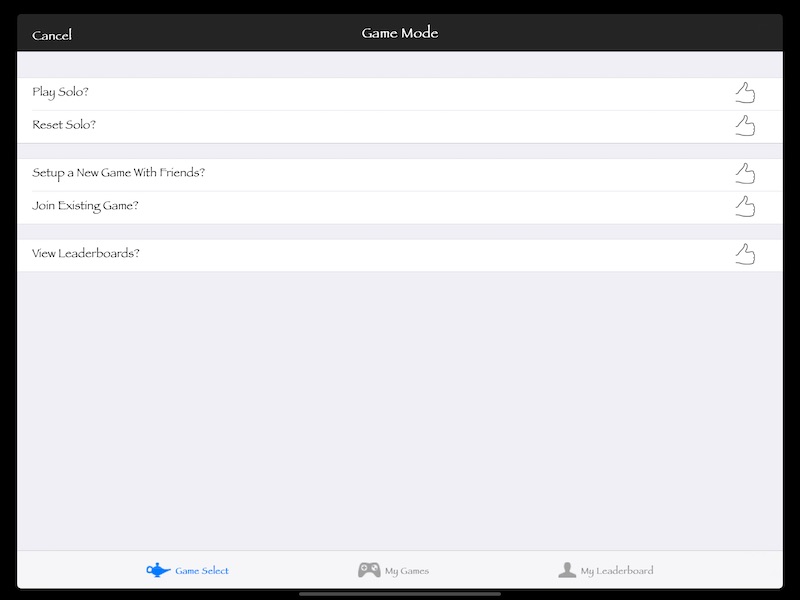
| Option | Description |
|---|---|
| Play Solo | Play a solo game against 3 AI opponents |
| Reset Solo | Reset the solo game if there are any issues while playing |
| Setup a New Game With Friends | Allows you to setup a game with any other real player that is setup on this device and fill the other places with AI players. The game will allow you to pass and play between the players |
| Join Existing Game | Will show you a list of current offline games |
| View Leaderboards | Allows you to view the offline leaderboards |
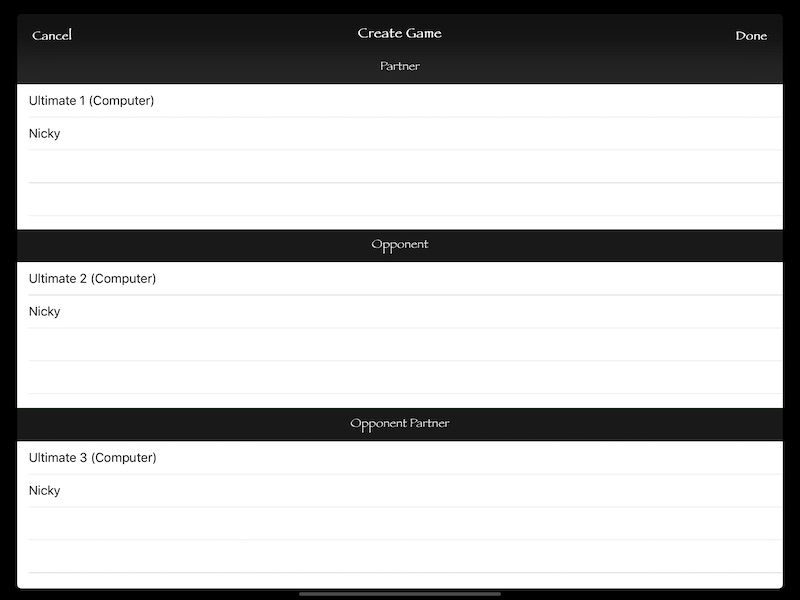
| Option | Description |
|---|---|
| Partner | Select who you would like to have as your partner in this new game. You can either select the Computer (AI), or any other user created on this device using setup. The game will involve passing the device to your partner when it is their turn. All cards will be hidden |
| Opponent | Select who you would like to have as your opponent in this new game. You can either select the Computer (AI), or any other user created on this device using setup. The game will involve passing the device to your opponent when it is their turn. All cards will be hidden |
| Opponent Partner | Select who you would like to have as your opponent's partner in this new game. You can either select the Computer (AI), or any other user created on this device using setup. The game will involve passing the device to your opponent' spartner when it is their turn. All cards will be hidden |
| Done | You will then be prompted to name the game. This will allow you to uniquely identify the game in the game list when you need to rejoin. The game will then start |
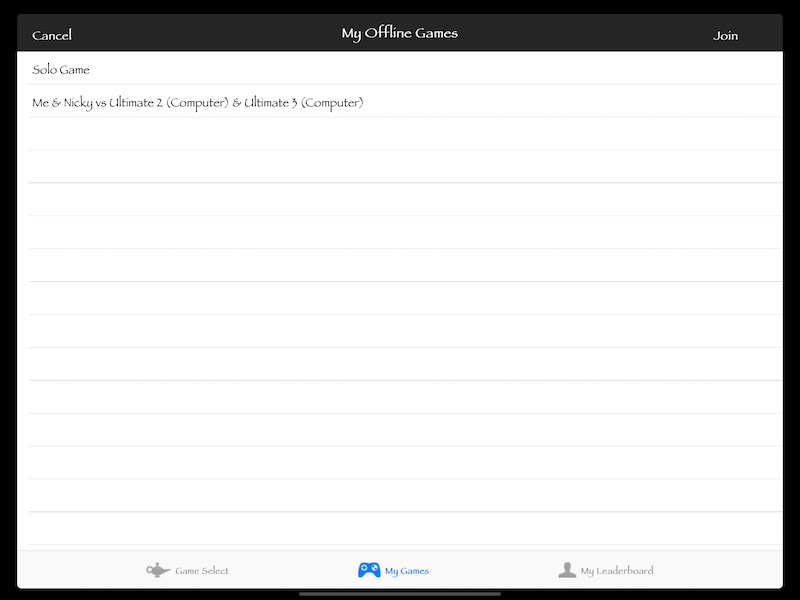
| Option | Description |
|---|---|
| My Games | Lists all of the games that you are currently playing |
| Join | Join the game |
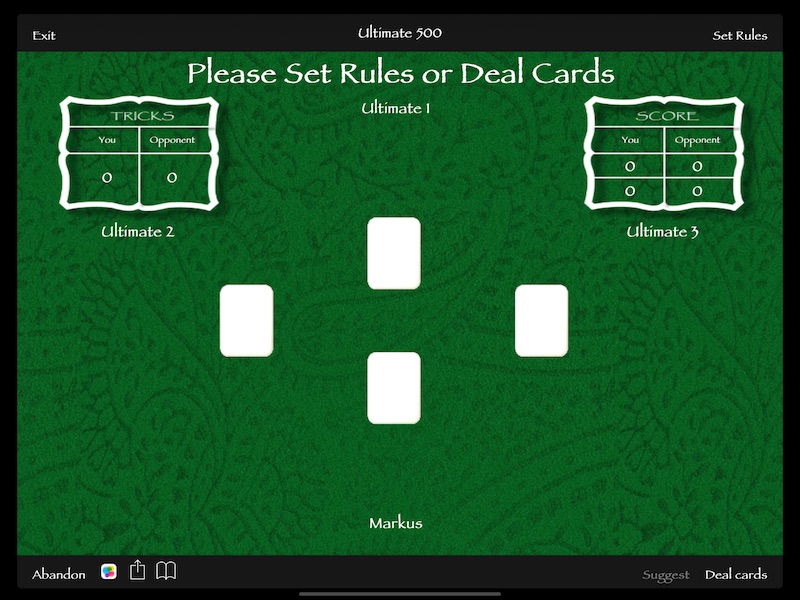
The way the team scores points is to bid for the number of tricks or hands that they think their team can win. If the team is able to win that number of tricks then they are awarded points based on the bid. If they are unable to win the number of tricks that they bid then the points are deducted from their score.
When the game starts there are two choices: -
| Option | Description |
|---|---|
| Deal Cards | This will start the bidding part of the game |
| Set Rules | This will allow you to set the rules for this game before you deal. Once cards are dealt the rules cannot be changed again until the next time you deal |
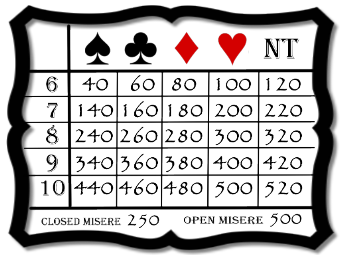
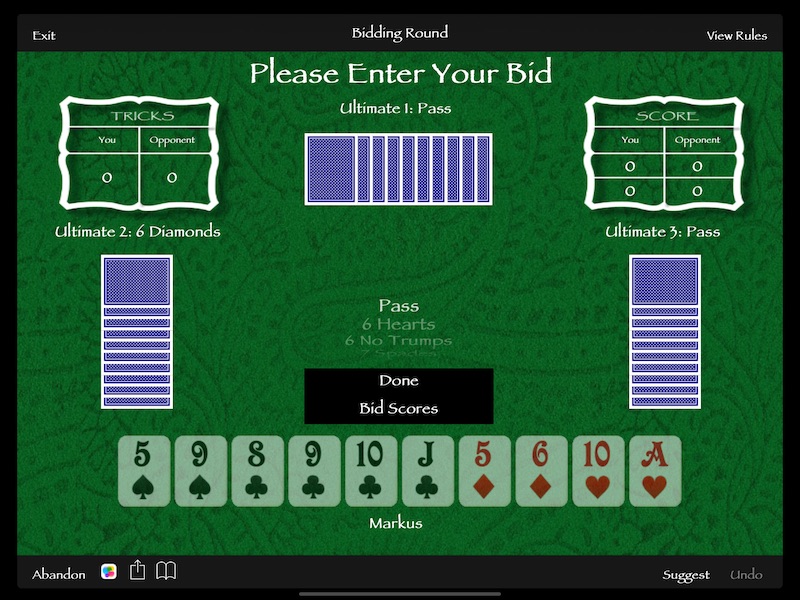
| Bid | Description |
|---|---|
| 6 to 10 Spades | Number of tricks your team can win with spades as the trump suit |
| 6 to 10 Clubs | Number of tricks your team can win with clubs as the trump suit |
| 6 to 10 Diamonds | Number of tricks your team can win with diamonds as the trump suit |
| 6 to 10 Hearts | Number of tricks your team can win with hearts as the trump suit |
| 6 to 10 No Trumps | Number of tricks your team can win without any trump suit |
| Closed Misere | There are no trumps and you need to lose all tricks without your partner |
| Open Misere | There are no trumps and you need to lose all tricks with an open hand |
| Pass | No longer wish to bid |
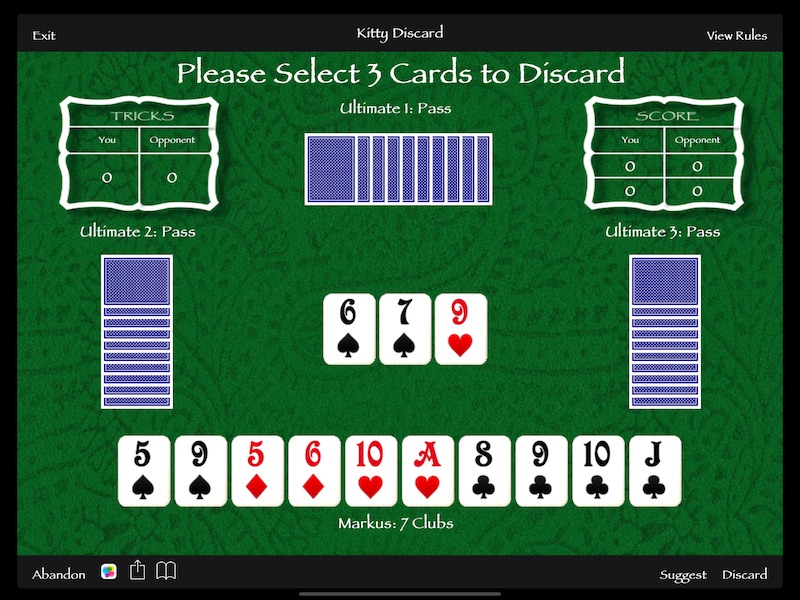
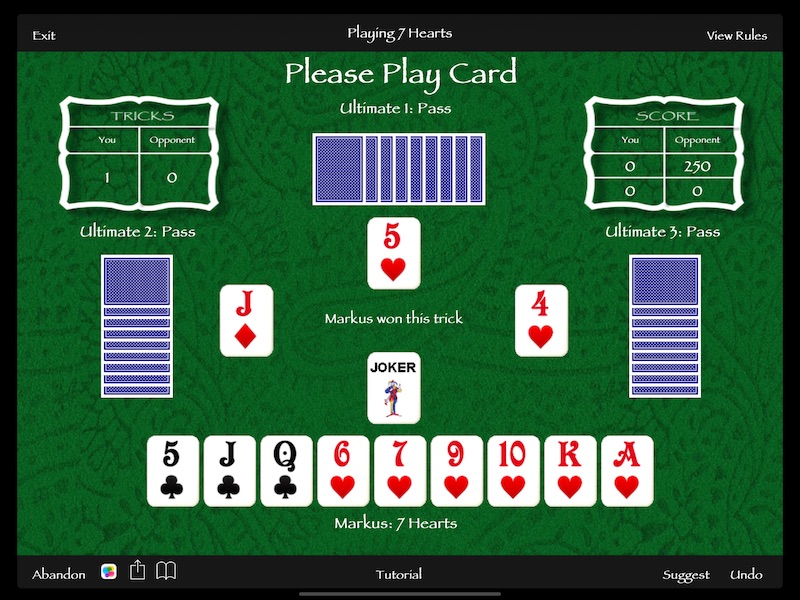
| Option | Description |
|---|---|
| Exit | Leave the game |
| Playing Label | The current winning bid |
| View Rules | The rules of the current game |
| Tricks | Number of tricks your team and opponent team have won this game |
| Score | The top row shows the current round scores for your team and opponent team. The bottom row shows the current number matches won by your team and opponent team |
| Center Label | Shows the status of the current game |
| Abandon | Abandons the current game and resets all scores |
 |
Allows you to access game setup features |
 |
Allows you to see the last hand played |
| Tutorial | Shows this tutorial |
| Suggest | During the bidding round this will give you a recommendation for bidding based on current rules. During the game this will highlight the recommended ard to play in the current situation |
| Undo | Undo the current play - all the way back to the first trick in this game |
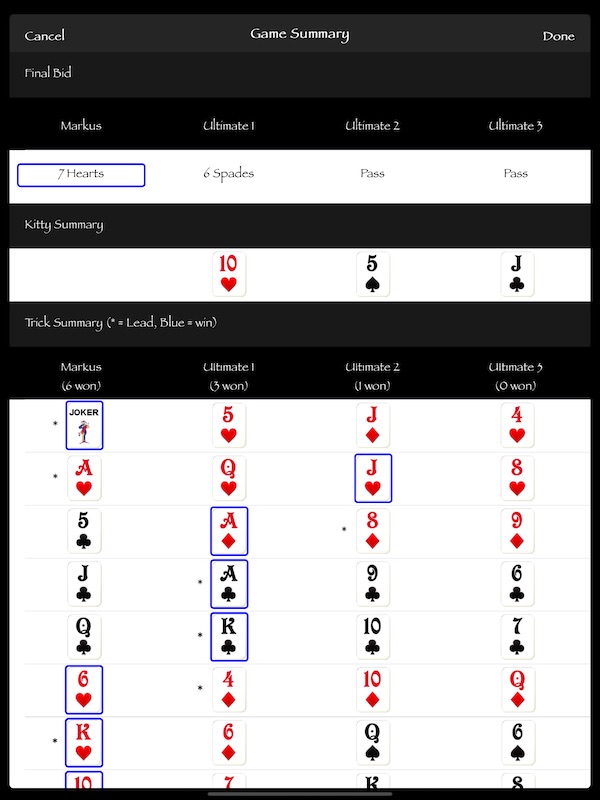
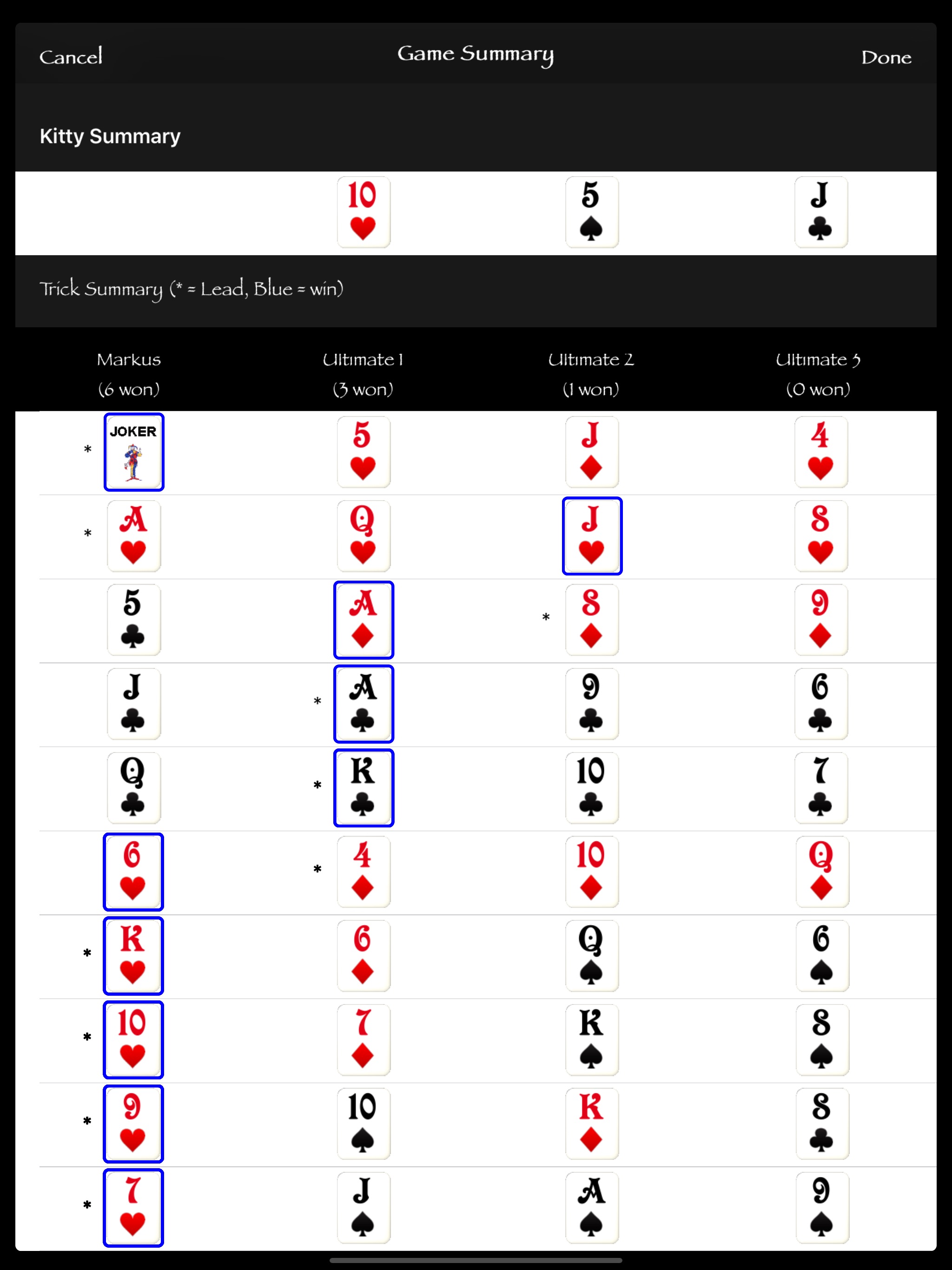
| Option | Description |
|---|---|
| Final Bid | Shows the final bid made by each player |
| Kitty Summary | Shows which cards were in the kitty for this game |
| Trick Summary | Shows each card that was played for each trick. The asterisk denotes which card was led. The Blue Highlight denotes the winner for that trick |
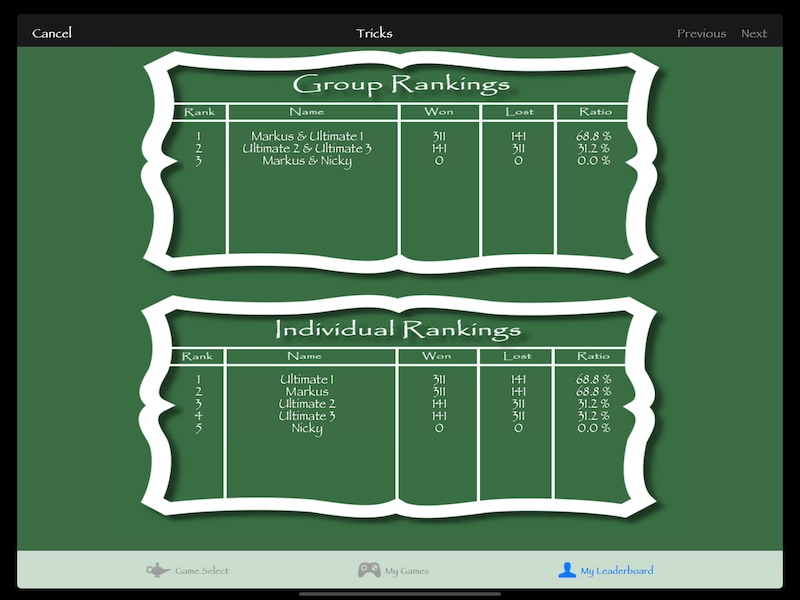
| Option | Description |
|---|---|
| Group Rankings | Lists the ranking of the groups you have formed against the AI and others on this device |
| Individual Rankings | Lists your personal rankings against the AI and others on this device |
| Tricks/Rounds/Matches | By clicking the heading you can switch the scores between Tricks, Rounds and Matches to see how you are tracking against other groups and individuals |
| Rank | The rank is calculated based on the number of games you have played as well as your win/lose ratio |